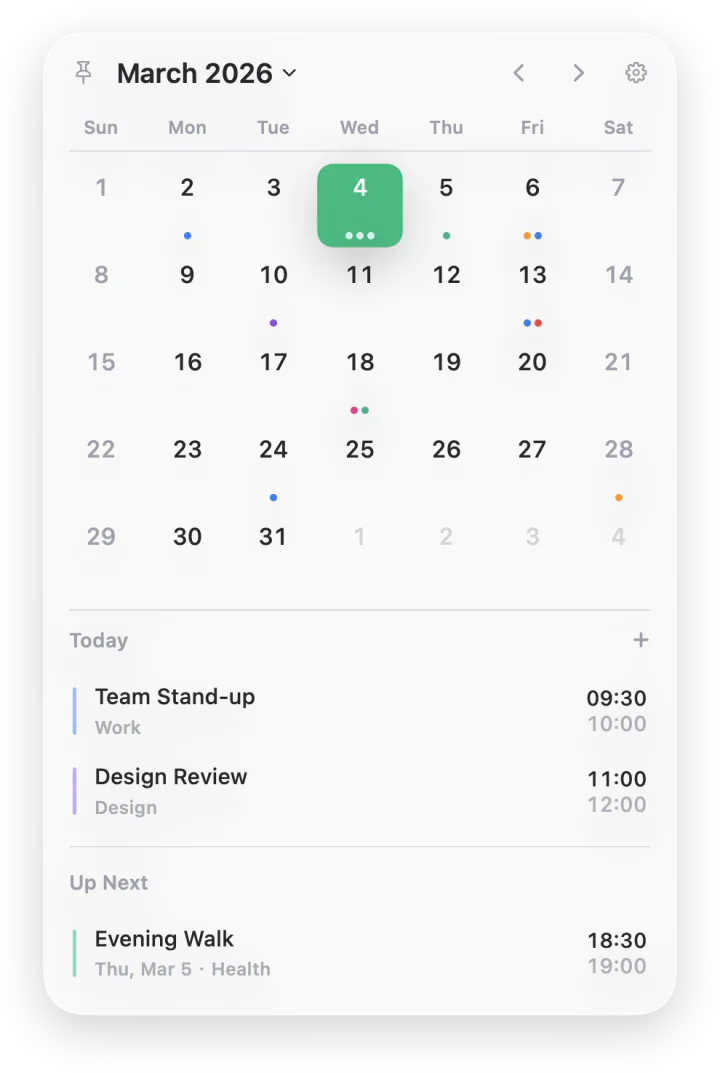
Your calendar,right in the menu bar

Tired of switching apps just to check your schedule? Lives in your macOS menu bar — no Dock icon, no window clutter. Your schedule is always one click away.

Lightweight, private, always one click away. iOS and Android support coming soon.

DazzCal calendar app interface

Core features

A calendar that stays out of your way

Your schedule, right in the menu bar. View, create, and manage events without leaving your current app.

Quick Event Management

Manage events without switching apps

Create, edit, or delete events directly from the popover. Set title, date, time, location, and notes, or mark events as all-day. Fast, fluid, and distraction-free.

Calendar Sync

Works with your existing calendars

Connects through Apple Calendar (EventKit) — iCloud, local, and synced accounts work out of the box. Built-in demo calendar and Chinese holidays support included.

Always one click away

Lives in your menu bar. No Dock icon, no window clutter — your schedule is always just a click away.

Blazing fast & native

A polished, responsive macOS experience with smooth animations, keyboard shortcuts, and full accessibility support.

Your data stays local

Reads events directly from your local calendar provider. No cloud sync, no account creation, no data ever leaves your computer.

Frequently asked questions

Download DazzCal

Lightweight, private, always one click away. iOS and Android support coming soon.

Mac App StoreNative macOS · Privacy first